Qorstack Report Documentation
Design DOCX or XLSX templates, send JSON, get your document. This guide covers every template feature from simple variable replacement to tables, images, QR codes, barcodes, PDF security, and ZIP output.
Overview
Qorstack Report Service generates PDF, DOCX, and Excel documents from Word (.docx) and Excel (.xlsx) templates. Instead of maintaining complex layout code, you design templates visually, upload them, and send a simple JSON payload to generate the final file.
Zero Data Retention
Template-based Generation
Recurring reports, batch generation, and self-host integrations
Use a pre-uploaded DOCX or XLSX template stored in your project. Reference the template by key and send JSON data to render the final document.
/render/word/templateor/render/excel/templateAuth header
x-api-keyKey field
templateKeyVariables
Replace placeholders with actual text data like customer names or dates.
Tables
Automatically generate tables from array data with dynamic rows.
Images
Insert images from Base64 or URLs with custom sizing.
QR Codes
Generate QR codes on the fly for payments or links.
Barcodes
Generate barcodes on the fly for product tracking.
File Settings
Protect PDFs, apply watermarks, and package output as ZIP.
Integration & SDKs
Choose your preferred integration method. We provide official SDKs for Node.js and .NET, or you can use the REST API directly with any HTTP client.
REST API / Raw HTTP
No installation required. Use any HTTP client.
- API URL:
http://localhost:8080/render/word/template - Headers: Include
x-api-keyin your request headers.
Request Example
| Property | Type | Required | Plan | Description |
|---|---|---|---|---|
| templateKey | string | Yes | FREE | Template identifier for the uploaded DOCX/XLSX template. |
| fileName | string | No | FREE | Output PDF filename (default: "output"). |
| replace | object | No | FREE | Text variable replacements. |
| table | array | No | FREE | Dynamic table data (TableDataRequest[]). |
| image | object | No | FREE | Image insertion data. |
| qrcode | object | No | FREE | QR code generation data. |
| barcode | object | No | FREE | Barcode generation data. |
| pdfPassword | object | No | FREE | PDF password and permission options. |
| watermark | object | No | FREE | PDF text watermark options. |
| zipOutput | boolean | No | FREE | Return the generated output as a ZIP file. |
Variable Replacement
Use {{variable}} in your Word document to define placeholders.
Template (.docx)
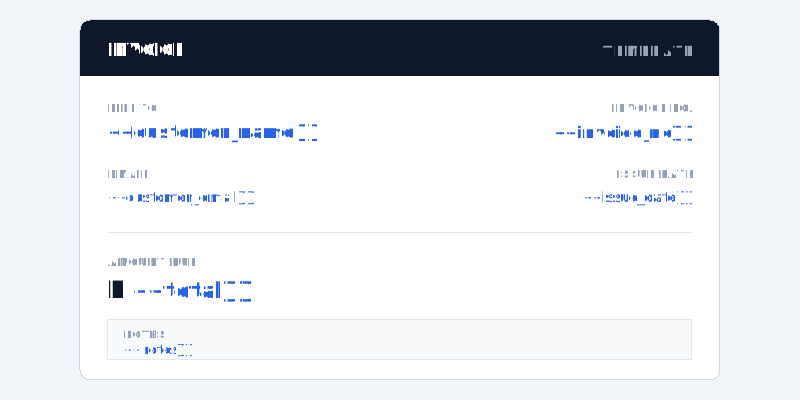
Data Payload
| Property | Type | Required | Plan | Description |
|---|---|---|---|---|
| key | string | Yes | FREE | Template variable name (e.g. {{name}} -> "name"). |
| value | string | Yes | FREE | Replacement text. |
Tables
Create dynamic tables using {{row:field}} markers inside a table row. The API expects a table array where each item contains rows.
Template (.docx)
Put {{row:name}}, {{row:qty}}, and other row markers in the template row that should repeat.
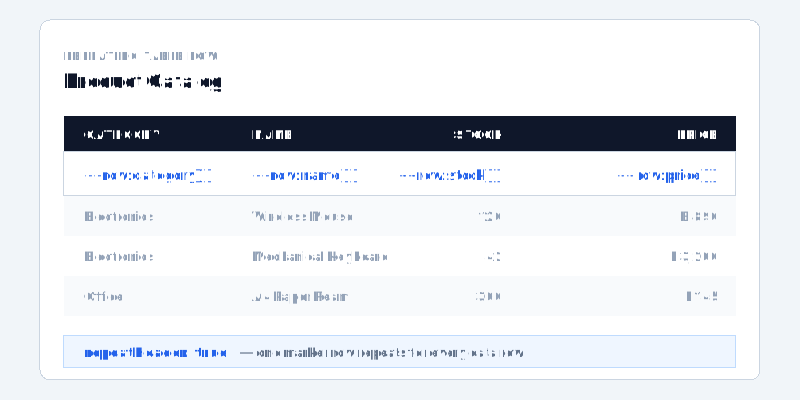
| Property | Type | Required | Plan | Description |
|---|---|---|---|---|
| table | WordTableDataRequest[] | No | FREE | Array of table data requests. |
| rows | Record<string, any>[] | Yes | FREE | Array of row objects matching {{row:key}} markers in the template. |
| repeatHeader | boolean | No | FREE | Repeat the Word table header row on each page. |
Tables (Advanced)
Advanced table features including sorting, grouping, vertical merge, collapse, and aggregates.
Advanced Properties
| Property | Type | Required | Plan | Description |
|---|---|---|---|---|
| sort | Record<string, "asc" | "desc"> | No | FREE | Sorting rules (e.g. { "price": "desc" }). |
| verticalMerge | string[] | No | FREE | Merges cells with identical values vertically.ex. ["category", "date"] |
| collapse | string[] | No | FREE | Collapses identical rows into a single row.ex. ["date", "store_branch"] |
Template Grouping Styles
Header Row Grouping
Place the Header row above the data row to display a group header (used in conjunction with the first verticalMerge item).
| Item Name | Qty | Price |
|---|---|---|
| Category: {{group:category}} ({{group_count}} items) | ||
| {{row:name}} | {{row:qty}} | {{row:price}} |
Note: Use the {{group:field}} marker in the Header Row to indicate where the group name will be displayed.
Footer Grouping
Place a summary row below the data row to show the total at the end of each group.
| Item Name | Qty | Price |
|---|---|---|
| {{row:name}} | {{row:qty}} | {{row:price}} |
| Total for {{group:category}} | {{group_sum:qty}} | Total {{group_sum:price}} |
Aggregates
Table Scope
Used to display the grand totals for the entire table.
{{table_count}}Total item count{{table_sum:field}}Grand total sum{{table_avg:field}}Grand total averageGroup Scope
Used in the Group Header or Group Footer.
{{group_count}}Group item count{{group_sum:field}}Group subtotal sum{{group_avg:field}}Group subtotal averageRow Scope
Used to calculate values between fields in the same row.
{{row_sum:f1,f2}}Sum of specific fields{{row_avg:f1,f2}}Average of specific fieldsImages
Insert images dynamically using {{image:variable}}.
Template (.docx)
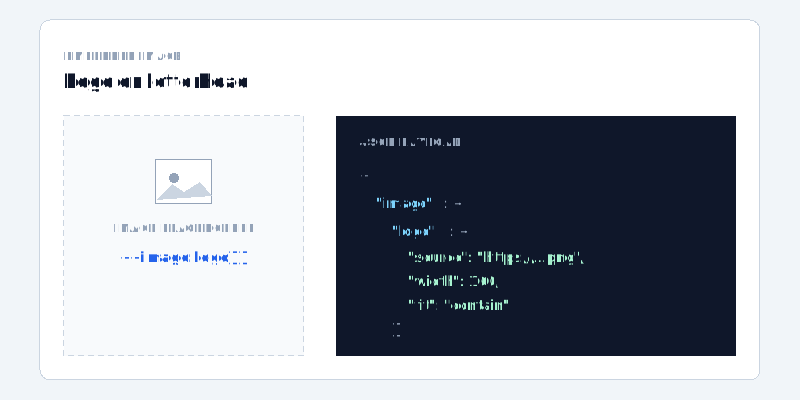
Data Payload
| Property | Type | Required | Plan | Description |
|---|---|---|---|---|
| src | string | Yes | FREE | Image URL, data URL, or stored file URL. |
| width | number | No | FREE | Image width (px). |
| height | number | No | FREE | Image height (px). |
| fit | string | No | FREE | Image fit: "cover", "contain", "fill". |
QR Codes
Generate QR codes automatically with {{qrcode:variable}}.
Template (.docx)
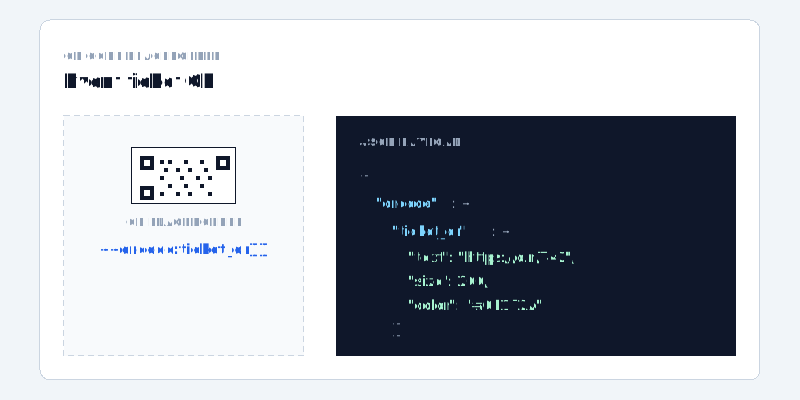
Data Payload
| Property | Type | Required | Plan | Description |
|---|---|---|---|---|
| text | string | Yes | FREE | Content to encode. |
| size | number | No | FREE | QR code size (px). |
| color | string | No | FREE | Foreground color, e.g. "#111827". |
| backgroundColor | string | No | FREE | Background color. |
| logo | string | No | FREE | Optional logo URL placed in the QR code center. |
Barcodes
Generate Barcodes automatically with {{barcode:variable}}.
Template (.docx)
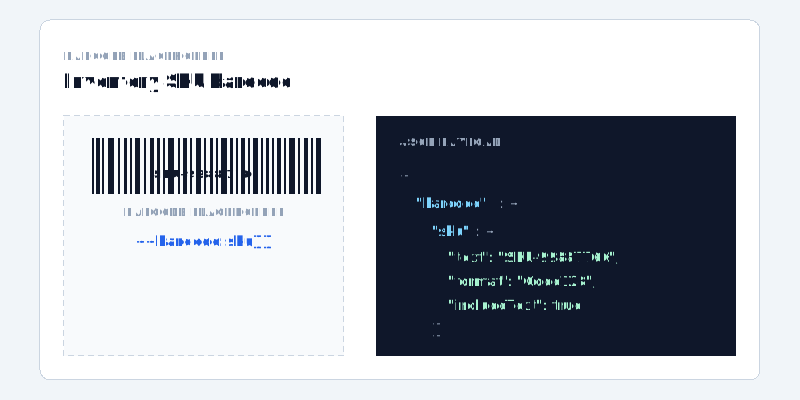
Data Payload
| Property | Type | Required | Plan | Description |
|---|---|---|---|---|
| text | string | Yes | FREE | Content to encode. |
| format | string | No | FREE | Barcode format, default "Code128". |
| width | number | No | FREE | Barcode width (px). |
| height | number | No | FREE | Barcode height (px). |
| includeText | boolean | No | FREE | Show human-readable text under the bars. |
| color | string | No | FREE | Foreground color. |
| backgroundColor | string | No | FREE | Background color. |
File Settings
Configure high-level render options such as PDF password protection, watermarking, and ZIP output.
Template (.docx)
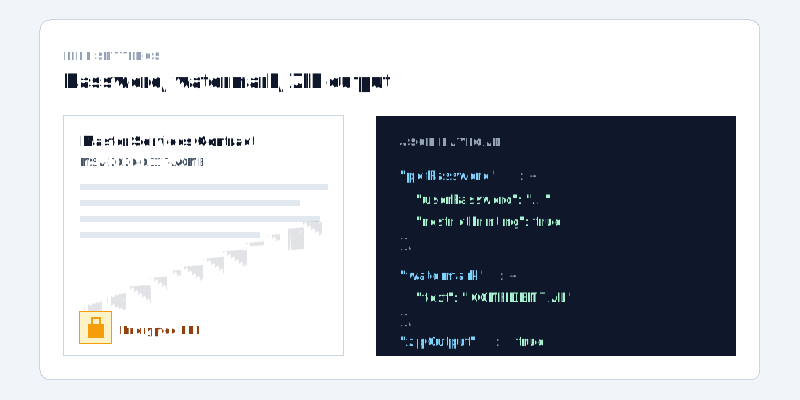
Security & Encryption
Protect your generated PDF files with a password. This uses standard PDF encryption which prevents unauthorized viewing.
| Property | Type | Required | Plan | Description |
|---|---|---|---|---|
| pdfPassword.userPassword | string | No | PRO | Password required to open the generated PDF. |
| pdfPassword.ownerPassword | string | No | PRO | Owner password used to apply PDF permission restrictions. |
| restrictPrinting | boolean | No | PRO | Disallow printing when supported by the PDF reader. |
| restrictCopying | boolean | No | PRO | Disallow copying text or images when supported by the PDF reader. |
| restrictModifying | boolean | No | PRO | Disallow modifying the PDF when supported by the PDF reader. |
Branding & Watermarking
Add a non-removable watermark text across all pages of the document.
| Property | Type | Required | Plan | Description |
|---|---|---|---|---|
| watermark.text | string | No | PRO | Text to be displayed as a watermark (e.g. "CONFIDENTIAL"). |
| fontSize | number | No | PRO | Watermark font size. |
| fontFamily | string | No | PRO | Font family name. |
| fontWeight | number | No | PRO | Font weight, e.g. 400 or 700. |
| fontItalic | boolean | No | PRO | Use italic font style. |
| color | string | No | PRO | Watermark color. |
| opacity | number | No | PRO | Opacity from 0 to 1. |
| rotation | number | No | PRO | Rotation angle in degrees. |
| positionX | string | No | PRO | Horizontal position, e.g. "center". |
| positionY | string | No | PRO | Vertical position, e.g. "center". |
| pages | number[] | No | PRO | Optional 1-based page list. |
Output Packaging
| Property | Type | Required | Plan | Description |
|---|---|---|---|---|
| zipOutput | boolean | No | FREE | Return a ZIP archive instead of the raw generated file. |